A visual classroom timer that lives on your slides
You put a pair activity on the screen and say "15 minutes." Fadeclock puts the answer to "how long do we have?" in the corner of that slide, big enough for the back row.
Version 0.1. The timer, breaks and music are free. Pro adds start buttons for HTML slides and web pages.
Made for the projector
- The timer shows on the external display when one is connected, or on a display you pick.
- Four sizes, from Small to Extra large, so the back row can read it.
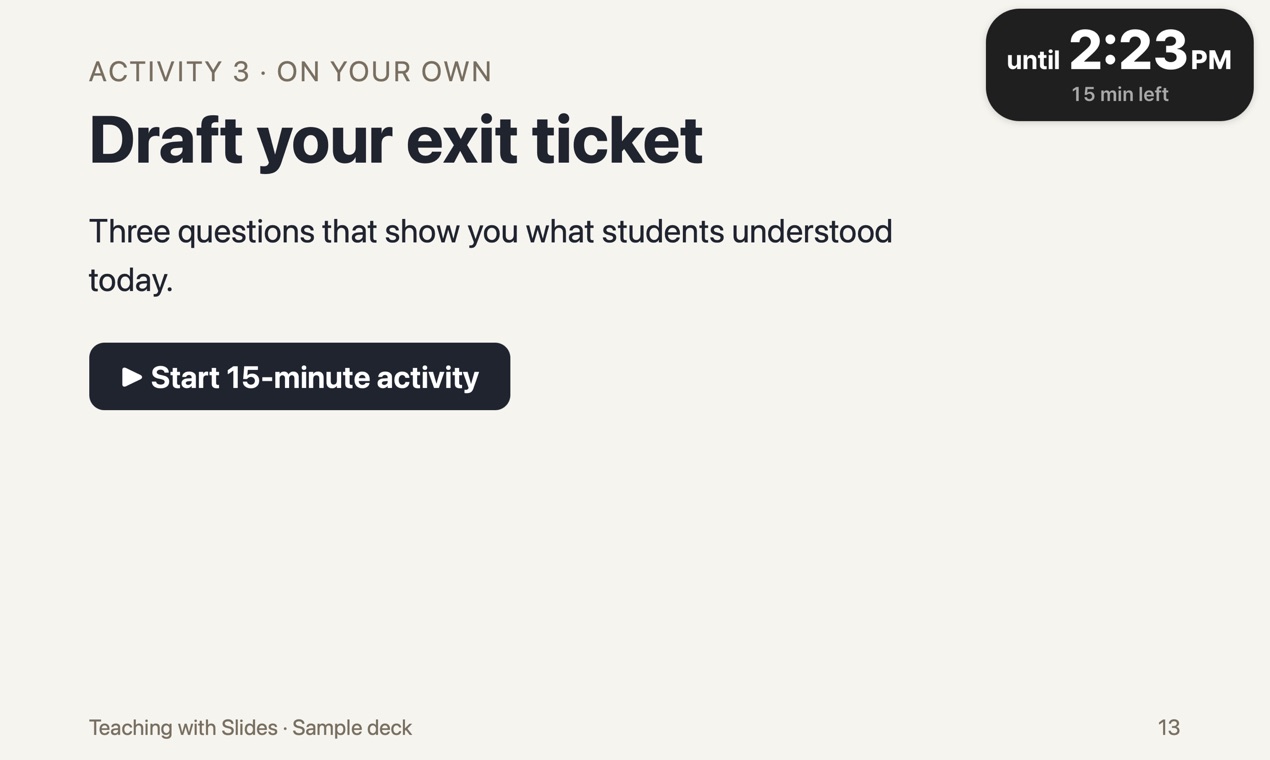
- It shows the end time, until 2:30 PM, with the minutes left underneath. Students who step out know when to be back.
- Your Mac's display won't go to sleep while the timer is on screen.
A lesson's rhythm, not just one countdown
Run an activity, then a break, then the next activity, all from the same window. A break has its own label: Break, then Break's over. From five minutes left the end time turns orange, and at the end the capsule says Time's up with one chime.
If you play music during work time, it fades out over the last 30 seconds. Need everyone's attention mid-activity? Pause the music from the capsule, talk, then play it again.
Start buttons on your slides (Pro)
If your slides are HTML or a web page, put a link such as fadeclock://start?min=15 on the slide. Clicking it starts 15 minutes. Your browser may ask before it opens Fadeclock. That's the button in the screenshot above. This is the one Pro feature: $12, paid once, no subscription.
School Macs
Fadeclock is made by an independent developer and is not notarized by Apple, so the first launch needs one approval in System Settings. On a Mac managed by a school, that setting may be locked, and Fadeclock won't open. Download it free and check on the Mac you teach with before you buy Pro.
Before you download
- Mac only, macOS 13 or later. There is no Windows version.
- Fadeclock is not notarized by Apple. The first time you open it, macOS blocks it and you allow it in System Settings. See the steps.
- If your Mac is managed by a school or company, that option may be turned off, and Fadeclock will not open on that Mac. The download is free, so check this before you buy anything.
- Tested over Keynote in presentation mode. PowerPoint and Google Slides haven't been tested yet.
- Built for Apple silicon and Intel Macs, but not yet run on an Intel Mac.