A countdown timer that floats above full-screen slides
Fadeclock is a small capsule that stays on top of your slides while they're full screen. It doesn't steal the slideshow: clicks outside the capsule go to whatever is underneath.
Version 0.1. The timer, breaks and music are free. Pro adds start buttons for HTML slides and web pages.
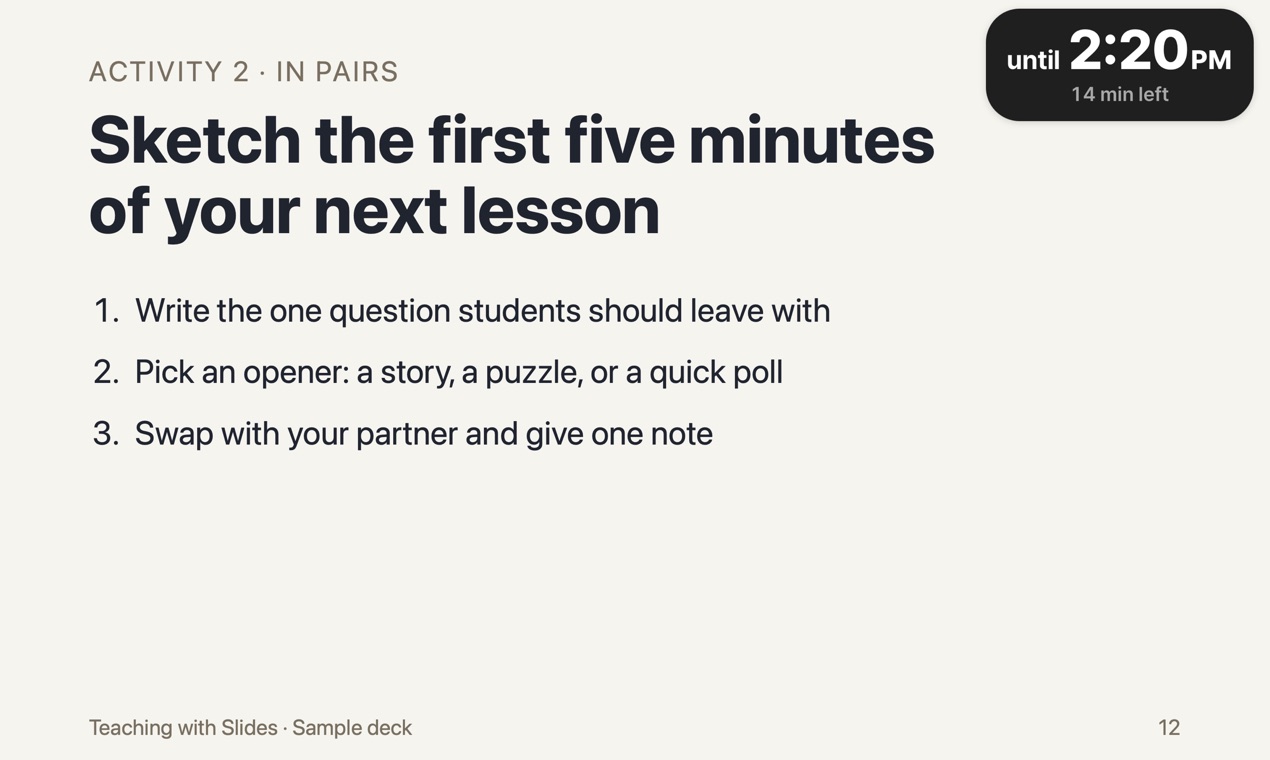
Where we've checked that it stays on top
Over Keynote in presentation mode, and over a full-screen web page in Safari (the screenshot above). PowerPoint and Google Slides haven't been tested yet. The download is free, so try it with what you use before you pay for anything.
Out of the way, but always there
- Click-through. Clicks outside the capsule go straight to your slides.
- Drag it anywhere. It remembers the spot for each display, so the projector and your laptop can each have their own corner.
- Shrink to a dot. The dot shows the minutes left and keeps counting. Click it to bring the full timer back.
- Four sizes. Small, Medium, Large or Extra large.
Control it from any app
You don't have to click the timer at all. These shortcuts work from any app, including full-screen slides, and need no Accessibility permission:
- ⌃⌥1 ⌃⌥5 ⌃⌥0 add 1, 5 or 10 minutes. With no timer running, they start one that long.
- ⌃⌥⇧1 ⌃⌥⇧5 ⌃⌥⇧0 take away 1, 5 or 10 minutes.
- ⌃⌥X ends the timer. ⌃⌥M opens the timer window.
Or hover over the capsule and click + or −.
Works offline, no account
The timer, the shortcuts and the end chime run without an internet connection. Only music from YouTube needs one. There's no account, and your settings and timer history stay on your Mac.
Before you download
- Mac only, macOS 13 or later. There is no Windows version.
- Fadeclock is not notarized by Apple. The first time you open it, macOS blocks it and you allow it in System Settings. See the steps.
- If your Mac is managed by a school or company, that option may be turned off, and Fadeclock will not open on that Mac. The download is free, so check this before you buy anything.
- Tested over Keynote in presentation mode. PowerPoint and Google Slides haven't been tested yet.
- Built for Apple silicon and Intel Macs, but not yet run on an Intel Mac.